
The Smarter Way to Run Your Food Business

Food and Grocery Ordering APP

Orders come in, stock runs low, and bills pile up. It is a lot to handle at once. EZYORDER puts everything in one place. So you can focus on running your business, not chasing it. 

00+

Total Clients

00+

Implemented

00+

In Progress

00+

Pipeline

Pre-Built Demos Collection

Appilo comes with a beautiful collection of modern, easily importable, and highly customizable demo layouts.

App Landing 01 (Main demo)
App Landing Modern
App Landing 03
App Landing 07
Portfolio/Resume 2
Marketing Agency
Digital Marketing/Agency
IT Solution 2
Business/Consulting
Business/Corporate
IT Solution
Digital Agency
Startup Agency
SaaS Classic
SaaS Modern
App Landing 04
Pos Software
Seo Software
Home Live Chat
CRM Software
Restaurant
SEO 2
Web Application
Email Marketing
Cyber Security
App Landing 06
App Landing 05
Software Management
Social Media Marketing
HR Management
CR Management
SEO/Digital Marketing
Agency Landing 01
Portfolio/Resume 01
Product Landing 01
Cloud Hosting 1
Cloud Hosting 2
Cloud Hosting 3
Dark Version Demo
App Showcase Dark
Dark Version Demo
Saas Classic Dark
Dark Version Demo
Digital Agency Dark
Dark Version Demo
Startup Agency Dark
RTL Version Demo
Appilo Main RTL
RTL Version Demo
App Showcase RTL
RTL Version Demo
Digital Agency RTL
RTL Version Demo
SaaS Classic RTL

Affordable Restaurant POS Software in Pakistan for Food & Grocery Businesses

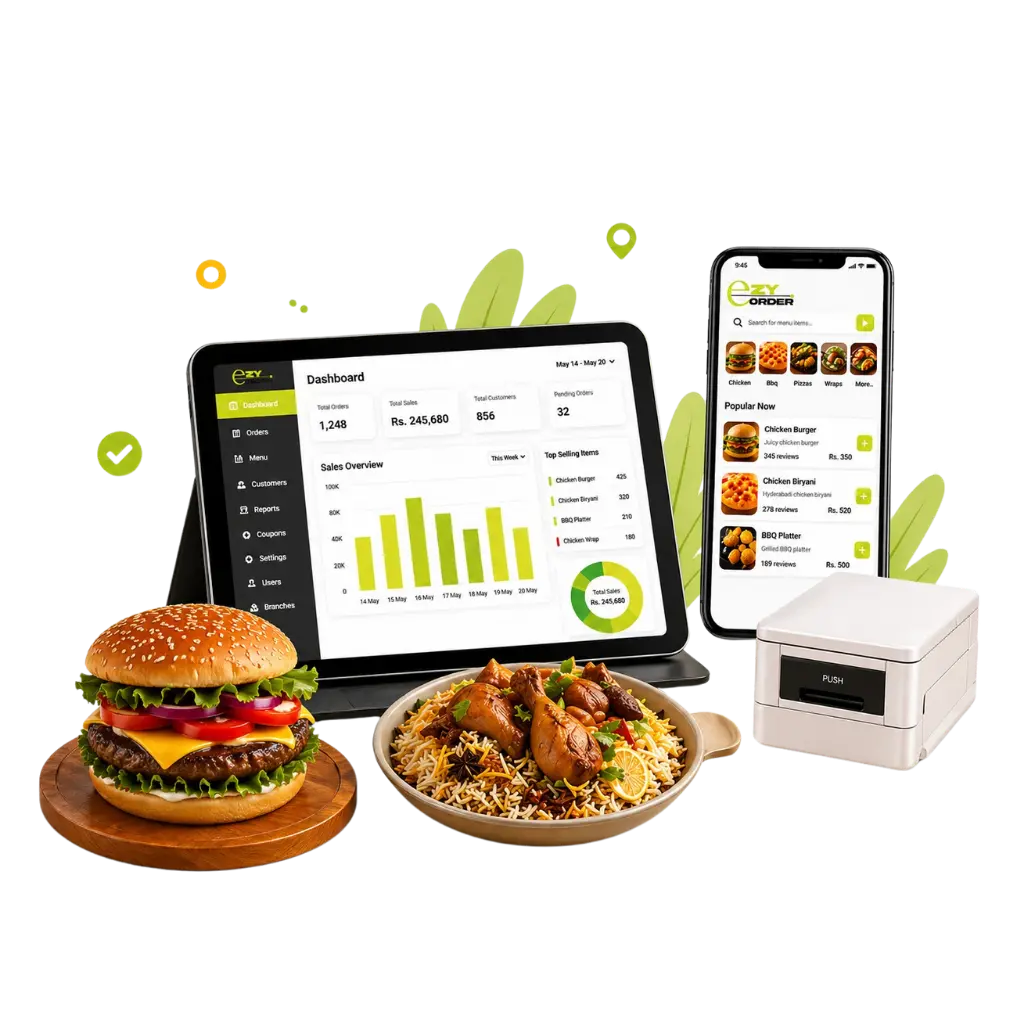
Whether you run a busy restaurant, a fast food spot or a grocery store, EZYORDER gives you what you need. It helps you manage orders, track stock, handle billing, and grow sales. You can do it all in one app that your team can use from day one. 

Our Features

Major features of EZYORDER

We built EZYORDER for people who already have enough on their plate. Each feature in the app has a clear purpose. It helps you take orders faster and keep stock in check. It helps you manage your team and see how your business is doing. You can do it without digging through paperwork or waiting for a report.
01

Point of Sales (POS)

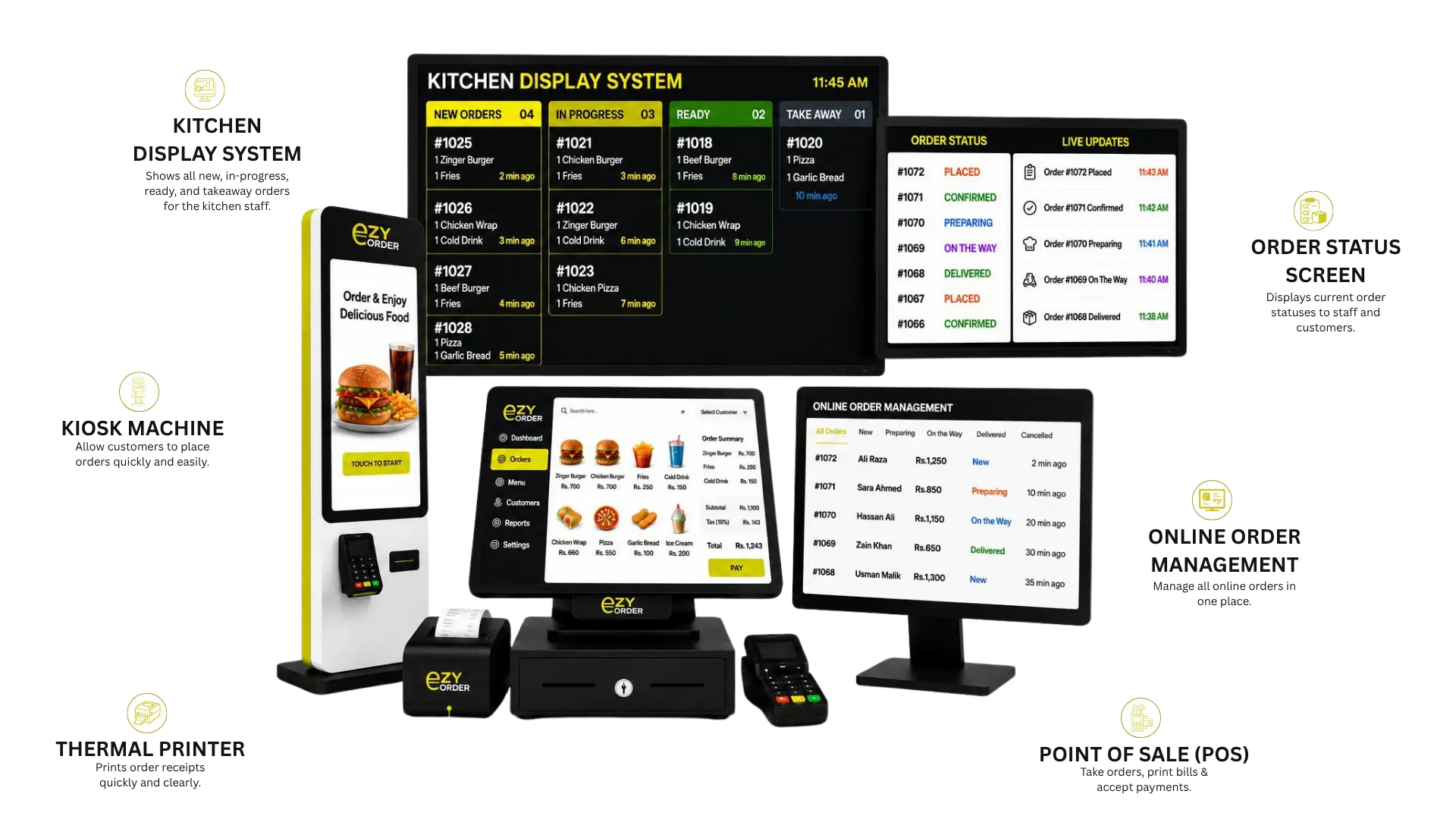
Your cashier doesn’t need to be a tech pro to use it. EZYORDER’s POS screen is simple and quick, made for busy rush hours so you can take orders, print bills, and accept payments without slowing anyone down.

02

Table Order

Let your servers take orders right at the table using their phones or tablets no more running back and forth to the counter. Orders are sent straight to the kitchen as soon as they’re placed.

03

Sales Report

See exactly how your business is doing today, this week, or last month. Track sales by item, shift, or day clearly organized so you can spot what’s working and what needs a closer look.

04

Items Managment

Add new items, update prices, switch up photos, or remove something from the menu, it only takes a few taps. Keeping your menu fresh and accurate has never been this easy.

05

Kiosk Machicne

Customers can place orders directly without waiting at counter. Digital menu with categories, items, images, prices. Add-ons, variations, meal deals, combos. Dine-in, takeaway, delivery order options. Cart review before order confirmation. Token / order number generation. Receipt printing support. Orders sent directly to POS / Kitchen / KDS. Restaurant branding, logo, theme colors. Reduces counter rush and staff workload

06

Kitchen Display System (K.D.S)

The Kitchen Display System in EZYORDER helps restaurants manage kitchen operations more efficiently by showing real-time orders instantly on the kitchen screen. It displays the order source, such as POS, mobile app, table order, or kiosk, so the kitchen team clearly understands where each order is coming from. Every order includes item-wise details, quantities, add-ons, and special instructions, reducing the chances of mistakes. Kitchen staff can easily accept orders, mark them as preparing, ready, or completed, and track preparation time through built-in timers. The system also provides sound alerts for new orders and can support separate kitchen stations like grill, pizza, drinks, or BBQ. By replacing manual shouting and paper slips, KDS improves kitchen speed, accuracy, and overall order handling.

07

Order Status System (O.S.S)

The Order Status Screen in EzyORDER is a customer-facing display that shows order numbers and their current status, such as preparing or ready. When the kitchen marks an order as ready from the KDS, the OSS updates automatically, allowing customers to know when their order is ready for collection. This reduces repeated questions at the counter and helps staff manage customer flow more smoothly. The screen can also display restaurant branding, logos, and promotional banners, making it useful for fast food outlets, cafés, takeaway counters, and food courts. To protect customer privacy, the OSS only shows the order or token number instead of personal customer details.

08

Online Order Management

Orders from your app or website flow right into your system no manual entry needed. Each one is tracked from checkout to delivery, so nothing slips through the cracks and every customer stays taken care of.

Vendor App

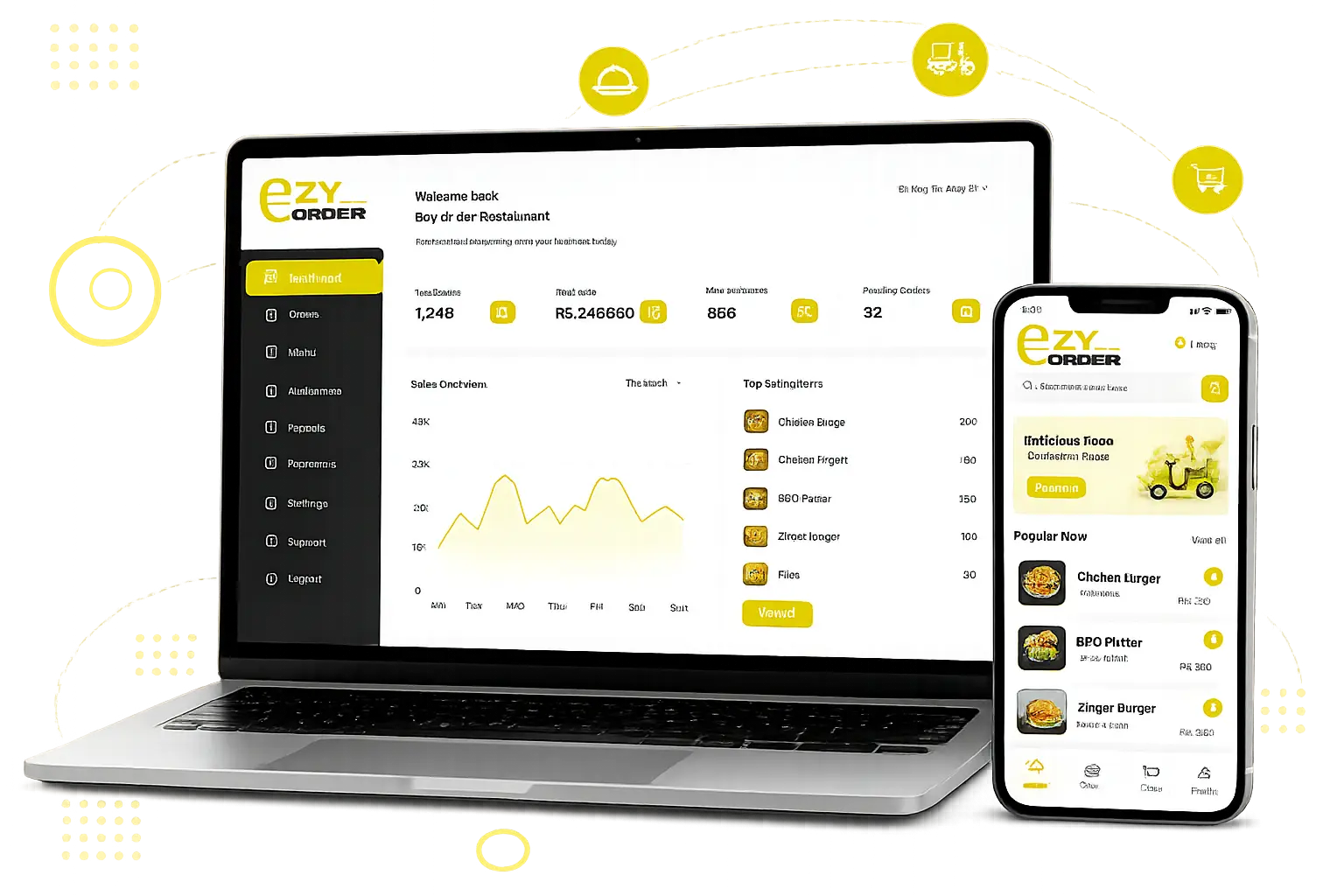
These are real screens your team will use every day. You get POS, sales reports, order tracking, and item management. Everything is laid out simply. Anyone can use it without a training session. 

Download the Vendor App

Everything we just covered can go right in your pocket. Download EZYORDER on your phone to manage orders, staff, and sales from anywhere. Setup only takes a few minutes, and your whole team can be up and running the same day. 

Download from Google Play

Download from Apple Store

Customer App

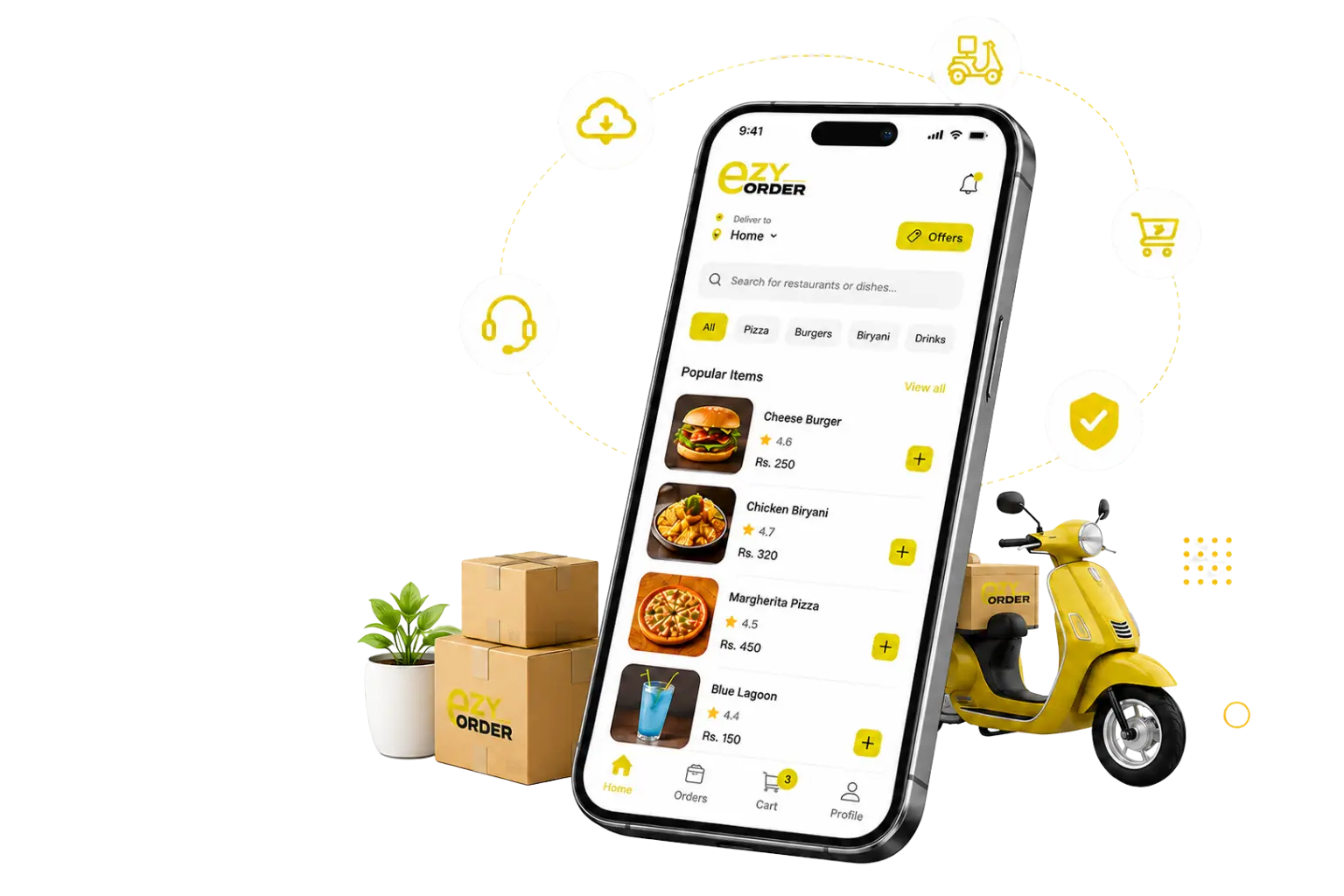
This is what your customers see when they order from you: a clean menu, simple navigation, fast checkout, and delivery or pickup options, exactly the kind of experience that brings them back to order again.

Our Pricing Plan

No hidden fees or confusing plan levels. Choose the option that matches your business size and start right away. Whether you’re running one location or managing several, there’s a plan that fits. 

Basic

Rs.5,000

  • Point of Sales (POS)
  • Vendor App
  • Staff Management
  • Items Management
  • Table Orders
  • Sales & Items Report


Pro

Rs.8,000

  • Point of Sales (POS)
  • Vendor App
  • Online Order Management
  • Order Taking
  • Delivery
  • Staff Management
  • Items Management
  • Table Orders
  • Sales & Items Report


Premium

Rs.10,000

Website + Online Ordering

Ordering Apps (iOS/Android)

Lifetime QR Code for Ordering Apps 

Coupons & Offer Management

Point of Sales (POS)

Kiosk Machine System
Kitchen Display System

Multiple Branches

Staff Management

Items Management

Table Orders

Sales & Items Report

*Disclaimer: These are the monthly subscription charges. An advance payment for the first month will be required to start the plan.

Thermal Printer is available on one time payment.
Thermal Printer (3)

Learn from our FAQ

Just download the app from Google Play or the Apple App Store, create your account, and follow the setup steps. Most users are up and running the same day without any technical help needed.
Not at all. EZYORDER is designed to be easy for anyone on your team to use. If you’re comfortable using a smartphone, you can start using EZYORDER right away no training or IT support needed.
Absolutely. Whether you run two locations or ten, EZYORDER makes it easy to track orders, sales, and staff across every branch from one simple dashboard.
Yes, that's exactly what it's built for. Whether you run a restaurant, a fast food spot, a cafe, or a grocery store, EZYORDER handles your orders, billing, and inventory the same way.
Our team’s here whenever you need us. Just message us on WhatsApp or give us a call, or send an Email and we’ll get back to you fast no long waits, no automated responses. Email: info@ezyorder.org
Sales Team: (+92) 3167772556
Technical Support: (+92) 3167773985

Get the Help and Information You're Looking For

Our head office address:

34, P1 Block, Valencia Town, Lahore, Pakistan.

Call/Whatsapp

Sales Team: (+92) 3167772556

Technical Support: (+92) 3167773985